

Imagine watching your favorite movie on a screen that delivers bright, vibrant, and crystal-clear images. That’s the magic of a plasma monitor. These screens have fascinated users for decades with their exceptional color quality and immersive viewing experience. But what exactly is a plasma monitor, and why has it become a popular choice for both home and professional use? Let’s dive in.
Read More: Unleashing the Incredible Power of Computers: Lightning Speed, Unmatched Accuracy & Beyond
What Is a Plasma Monitor?
A plasma monitor is a type of display screen that produces images using tiny cells filled with electrically charged gas. When electricity passes through these cells, the gas emits light, creating bright and colorful pictures. Known for their rich colors and deep blacks, plasma monitors offer wide viewing angles, making them ideal for large screens like TVs.
Though plasma monitors consume more power than newer display technologies such as LED or OLED, their ability to deliver vivid, lifelike images has kept them relevant for years. They are especially appreciated in home theaters, gaming setups, and professional displays.
How Does a Plasma Monitor Work?
Plasma monitors create images through a fascinating process involving thousands of tiny cells. Each cell contains gas that glows when electrically charged. These glowing cells combine to form the colors and images seen on the screen.
Here’s a breakdown of how they work:
- Plasma Cells: The screen is composed of thousands of microscopic gas-filled cells.
- Electric Charge: When the monitor is powered on, electricity charges the gas inside these cells.
- Light Emission: The charged gas emits light in primary colors—red, green, and blue.
- Image Formation: Millions of these cells work together to form clear images and videos.
- Fast Response: The cells turn on and off rapidly, allowing smooth, blur-free motion, perfect for fast-paced videos or sports.
This unique technology allows plasma monitors to display vibrant images with excellent color accuracy and smooth motion.
Types of Plasma Monitors
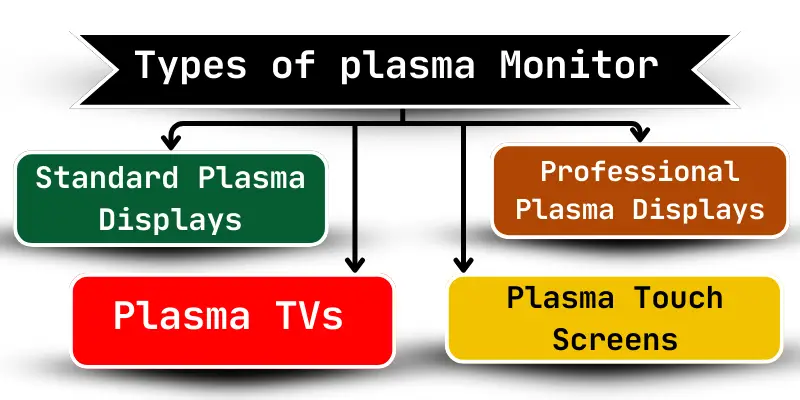
Over the years, plasma monitors have evolved to meet different needs. The main types include:
- Standard Plasma Displays: Designed for home entertainment, these monitors provide bright, clear images for movies and TV shows.
- Professional Plasma Displays: Used in businesses, advertisements, and public venues, these monitors offer higher brightness and superior clarity.
- Plasma TVs: Popular for home use, plasma TVs deliver vivid colors, sharp images, and a cinematic viewing experience.
- Plasma Touch Screens: These interactive screens allow users to navigate or select options by touch, making them ideal for kiosks, presentations, and information displays.
Each type is tailored for specific purposes, whether for entertainment, business, or interactive experiences.
Key Features of Plasma Monitors
Plasma monitors are celebrated for their performance and visual appeal. Some of their standout features include:
- Vivid Colors: Produces bright and rich colors for lifelike visuals.
- Wide Viewing Angles: Maintains image quality even from the side.
- Sharp and Clear Images: Ideal for high-definition content and videos.
- Large Screen Sizes: Perfect for home theaters and professional displays.
- Smooth Motion: Handles fast-moving images without blur.
- Deep Blacks: Enhances contrast for a more immersive experience.
These features make plasma monitors a favorite for cinematic viewing, gaming, and professional applications.
Uses of Plasma Monitors
Plasma monitors have been used in a variety of settings thanks to their image quality and size. Some common applications include:
- Home Entertainment: Watching TV shows, movies, and gaming.
- Public Displays: Malls, stores, and airports showcase advertisements and information.
- Presentations: Schools, universities, and offices use them for slides and videos.
- Gaming: Provides clear graphics and fast response times for immersive gameplay.
- Control Rooms: Hospitals, security centers, and monitoring stations rely on large displays.
- Sports Events: Fans enjoy live sports on vivid, large screens.
- Educational Use: Teachers use them to display lessons, videos, and interactive content.
Their versatility makes plasma monitors suitable for almost any visual display need.
Advantages of Plasma Monitors
Plasma monitors offer many benefits, including:
- Exceptional color brightness and richness.
- Wide viewing angles without distortion.
- Smooth display of fast-moving images.
- Large screen options for immersive viewing.
- Deep black levels for better contrast.
- Clear and sharp images for movies, games, and presentations.
- Wide range of colors for realistic visuals.
These advantages make plasma monitors ideal for home theaters, gaming setups, and professional displays where image quality is a priority.
Disadvantages of Plasma Monitors
Despite their benefits, plasma monitors also have some limitations:
- Heavier and bulkier than LED or OLED screens.
- Higher power consumption.
- Risk of image retention or “burn-in” with static images.
- Shorter lifespan compared to newer display technologies.
- Can get hot during extended use.
- More expensive than alternative screen types.
- Performance can be affected by bright light or glare.
While these drawbacks may limit their use in certain situations, plasma monitors remain valued for their unmatched picture quality.
Frequently Asked Questions:
What is a plasma monitor?
A plasma monitor is a type of screen that uses tiny gas-filled cells to produce bright, vivid images with deep blacks and wide viewing angles.
How does a plasma monitor work?
It works by electrically charging gas in microscopic cells on the screen, causing them to emit light. Millions of these cells combine to create full-color images.
What are the main types of plasma monitors?
The main types include standard plasma displays, professional plasma displays, plasma TVs, and plasma touch screens. Each type serves different purposes, from home entertainment to business and interactive applications.
Why choose a plasma monitor over other screens?
Plasma monitors offer exceptional color accuracy, smooth motion for fast-moving images, wide viewing angles, and large screen sizes, making them ideal for movies, sports, and gaming.
Are plasma monitors energy-efficient?
Plasma monitors consume more electricity than LED or OLED screens, so they are less energy-efficient but deliver superior image quality.
Can plasma monitors suffer from screen burn-in?
Yes, static images displayed for long periods can leave permanent marks, which is called burn-in. Using screen savers or varying content can reduce this risk.
Are plasma monitors still available?
They are less common today due to LED and OLED technologies but can still be found in professional setups, large-format displays, or second-hand markets.
Conclusion
Plasma monitors revolutionized the way we experience visuals, offering vibrant colors, deep blacks, and smooth motion that bring movies, games, and videos to life. While newer technologies like LED and OLED provide energy efficiency and slimmer designs, plasma screens remain unmatched in their ability to deliver rich, immersive picture quality. From home theaters to professional displays, plasma monitors continue to enchant users who prioritize clarity, color accuracy, and cinematic experiences. Understanding their features, benefits, and limitations helps you make the most of this remarkable technology and truly unlock the magic of every image on screen.