
Losing important files due to a computer crash or running out of storage can be extremely frustrating. Fortunately, secondary storage devices offer a reliable solution. These devices allow you to store, back up, and protect your data while freeing up space on your computer. Understanding the types, uses, and benefits of secondary storage will help you safeguard your files and ensure seamless access whenever you need them.
Read More: Device Drivers Unlocked – The Ultimate Guide to Mastering Your Hardware
What Are Secondary Storage Devices?
Secondary storage devices are external or additional storage solutions that keep data outside a computer’s main memory. Unlike primary storage, which temporarily holds data while the computer is running, secondary storage retains files permanently. These devices store documents, programs, media files, and more, even when the computer is powered off. By offering extra space, they ensure data remains safe and accessible for long-term use.
Importance of Secondary Storage Devices
Secondary storage devices are crucial for data management and protection. They provide additional space, security, and convenience for long-term storage and backup. Key benefits include:
- Expanding storage for files and applications.
- Safeguarding data even when the device is powered off.
- Providing reliable backup options to prevent data loss.
- Portability for easy file sharing and transfer.
- Ideal for storing important files over extended periods.
By using secondary storage, individuals and businesses can reduce the risk of losing critical data due to system failures or accidental deletions.
How Secondary Storage Devices Work
Secondary storage devices store and retrieve data through a series of steps:
- Data Writing – Information is converted into binary format (1s and 0s) and saved on the device.
- Data Storage – Data is stored in small units or cells that remain intact even when the device is powered off.
- Data Retrieval – The device locates and reads the data when requested.
- Data Access – Retrieved data is sent to your computer for tasks like opening files, running applications, or sharing content.
This system ensures that your files remain secure, organized, and easily accessible.
Types of Secondary Storage Devices
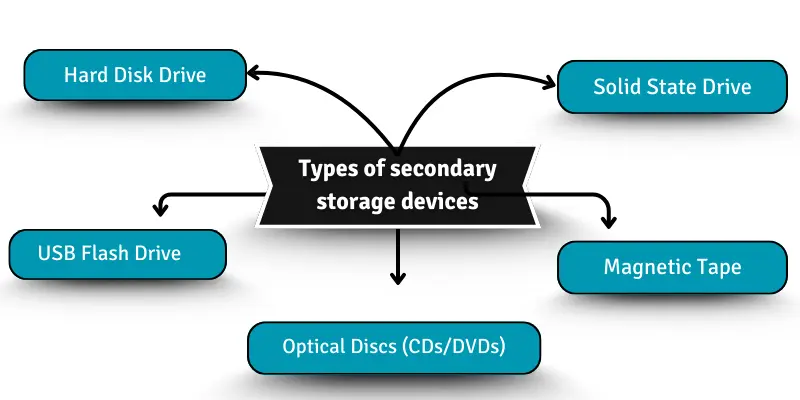
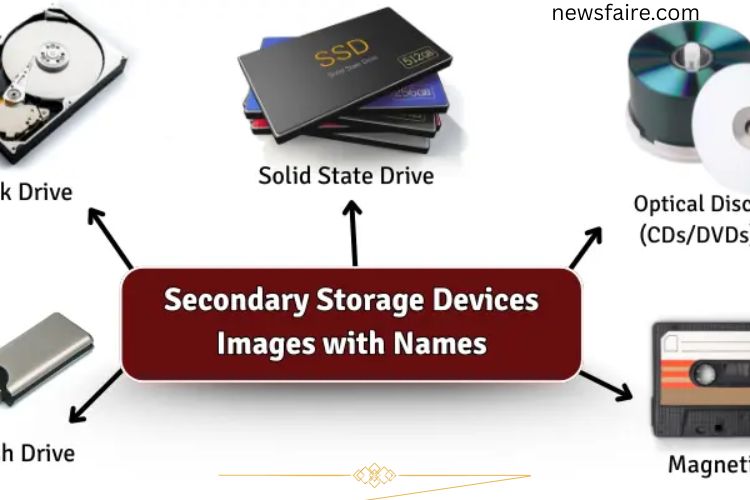
There are several types of secondary storage devices, each designed for specific storage needs:
- Hard Disk Drive (HDD): Uses magnetic storage to save data. Popular in desktops and laptops for its large capacity.
- Solid State Drive (SSD): Employs electronic circuits with no moving parts, offering faster performance and higher durability.
- Optical Discs (CDs/DVDs): Utilize lasers to read and write data, commonly used for media storage and backups.
- USB Flash Drives: Compact, portable devices ideal for transferring files between computers.
- Magnetic Tape: High-capacity storage primarily used for backups and archiving large volumes of data.
Each type serves a unique purpose, allowing users to choose the right solution based on speed, capacity, and portability requirements.
Uses of Secondary Storage Devices
Secondary storage devices have applications across personal, professional, and educational contexts:
- Personal Use: Store photos, videos, and personal documents.
- Professional Use: Back up business files and critical work data.
- Educational Use: Keep research papers, assignments, and course materials safe.
- Entertainment: Save movies, music, and games for convenient access.
- Data Backup: Protect data by creating copies on external devices.
- File Sharing: Transfer large files between devices or with others.
- System Recovery: Restore systems quickly in case of failure.
- Cloud Storage Integration: Sync files with cloud services for offsite backup.
- Gaming: Store game data for faster loading and seamless performance.
- Multimedia Projects: Save large video editing files and creative work efficiently.
These versatile applications make secondary storage an essential tool for modern computing.
Advantages of Secondary Storage Devices
Secondary storage devices offer numerous benefits that enhance both convenience and security:
- Large Storage Capacity: Ideal for storing extensive files and programs.
- Data Security: Keeps data safe even during system shutdowns.
- Portability: Easily transfer files across devices.
- Cost-Effective: Offers high storage at reasonable prices.
- Long-Term Storage: Retains files for extended periods.
- Reliable Backup: Prevents data loss from accidental deletion or system failure.
- Durability: SSDs and flash drives are less prone to damage from movement.
- Fast Data Access: Many devices, especially SSDs, provide quick file retrieval.
- Protection Against Loss: Offers peace of mind for important information.
These advantages make secondary storage indispensable for users who rely on consistent access to data.
Disadvantages of Secondary Storage Devices
Despite their benefits, secondary storage devices have some limitations:
- Slower Access Speed: Compared to primary memory, some devices like HDDs are slower.
- Vulnerability to Damage: Physical devices can be damaged if mishandled.
- Limited Lifespan: Flash drives, SSDs, and tapes have finite read/write cycles.
- Power Dependence: Some devices need an active power source.
- Space Requirements: External devices require storage space for physical safekeeping.
- Data Corruption Risk: Files can become corrupted due to hardware failure or malware.
- Cost of Large Storage: High-capacity drives can be expensive.
- Compatibility Issues: Certain devices may not work with all systems.
- Regular Maintenance Needed: Backups and updates are essential to avoid data loss.
Understanding these limitations helps users select and handle storage devices effectively.
Frequently Asked Questions:
What are secondary storage devices?
Secondary storage devices are hardware solutions that store data outside your computer’s main memory. Unlike primary storage, they retain files permanently, even when the computer is turned off. Examples include HDDs, SSDs, USB drives, and optical discs.
Why are secondary storage devices important?
They provide extra storage space, protect important files from data loss, and allow for long-term storage. They also enable backups, file sharing, and system recovery.
How do secondary storage devices work?
Data is written in binary form, stored in cells or memory units, and can be retrieved whenever needed. Devices manage reading, writing, and transferring data efficiently.
Can secondary storage devices improve computer performance?
Yes. SSDs, for example, speed up boot times and file access compared to traditional HDDs, improving overall system responsiveness.
Are secondary storage devices portable?
Many devices, like USB drives and external SSDs, are portable, making it easy to transfer data between computers or carry backups on the go.
What are the advantages of using secondary storage devices?
They offer large storage capacity, data security, long-term storage, portability, reliable backups, and protection against data loss.
Are there any disadvantages to secondary storage devices?
Some limitations include slower access compared to primary memory, potential physical damage, limited lifespan, and the need for regular backups.
Can I use multiple secondary storage devices at once?
Yes. Combining devices like HDDs, SSDs, and cloud storage can expand storage capacity and enhance backup security.
Conclusion
Secondary storage devices are essential tools for securing, organizing, and expanding your digital data. They provide extra space, protect important files, and ensure reliable backups, making them indispensable for personal, professional, and educational use. By understanding the different types, advantages, and applications of these devices, you can choose the right storage solution to safeguard your data and optimize your workflow. Investing in secondary storage not only prevents data loss but also enhances efficiency, convenience, and peace of mind in today’s digital world.