
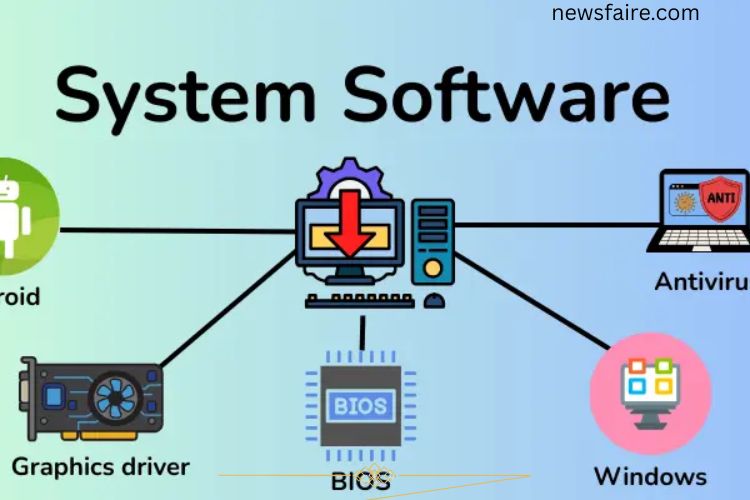
Switch on a computer and expect instant results—apps open, files load, and devices respond. Behind this seamless experience works a powerful foundation called system software. Without it, screens remain blank, hardware stays silent, and programs cannot run. System software acts as the invisible engine that controls, manages, and coordinates every operation inside a computer.
This comprehensive guide explains what system software is, its functions, components, types, advantages, disadvantages, and real-world examples.
Read More: Unleashing the Power of Primary Storage Devices: Essential Insights You Can’t Afford to Miss
What Is Computer System Software?
Computer system software refers to the core programs that control and manage a computer’s hardware and overall operations. It creates a platform where application software can run smoothly.
Unlike application software, which performs specific tasks like writing documents or editing photos, system software works in the background. It ensures the processor, memory, storage, and input/output devices function correctly. Without system software, a computer cannot boot, process instructions, or execute applications.
In simple terms, system software acts as the bridge between hardware and user applications.
Functions of System Software
System software performs essential tasks that keep a computer stable and efficient. Its main functions include:
Boots the System
Starts the computer and loads necessary programs into memory during startup.
Manages Hardware
Controls devices such as keyboards, mice, printers, monitors, and storage drives.
Manages Memory
Allocates and monitors RAM usage to ensure smooth multitasking and performance.
Runs Applications
Provides a platform for software programs to operate efficiently.
Handles Files
Organizes, stores, retrieves, and manages files within the system.
Provides Security
Protects the system against malware, unauthorized access, and threats.
Updates the System
Installs updates and patches to improve performance and fix vulnerabilities.
Through these critical functions, system software maintains stability and reliability.
Components of System Software
System software includes several interconnected components that work together.
Kernel
Kernel serves as the core of the operating system. It controls CPU operations, memory management, and hardware communication.
Shell
Shell allows users to interact with the system using commands or graphical interfaces.
File System
File system organizes and manages data storage, enabling easy access and retrieval.
Device Management
Device management controls peripheral devices such as printers, scanners, and keyboards.
Utility Programs
Utility programs maintain system performance, security, and storage optimization.
Each component plays a specific role in keeping the system functional and responsive.
Types of System Software
System software consists of multiple categories, each designed to perform specialized tasks.
Operating System (OS)
Operating System (OS) acts as the primary system software that manages computer hardware and software resources. It allows users to interact with the computer and run applications.
The OS performs tasks such as memory allocation, process scheduling, file handling, and device management. Without an operating system, a computer cannot function.
Types of Operating Systems
- Batch Operating System – Processes tasks in groups without user interaction.
- Time-Sharing Operating System – Allows multiple users to share system resources.
- Distributed Operating System – Connects multiple computers to work as one system.
- Real-Time Operating System (RTOS) – Executes tasks instantly without delay.
- Network Operating System – Manages resources across networked computers.
- Mobile Operating System – Designed for smartphones and tablets.
Operating systems form the backbone of every computing device.
Utility Software
Utility software helps maintain, protect, and optimize a computer system. It ensures smooth performance and improves system efficiency.
Types of Utility Software
- Antivirus Software – Detects and removes viruses and malware.
- Backup Software – Creates copies of important files to prevent data loss.
- Disk Cleanup Tools – Remove unnecessary files to free up space.
- File Compression Software – Reduces file size for storage efficiency.
- Firewall – Blocks unauthorized access to the system.
- Disk Management Tools – Organize and manage storage drives.
Utility programs enhance performance, security, and reliability.
Firmware
Firmware is specialized software stored directly in hardware devices. It provides low-level control and ensures devices operate correctly.
Devices such as printers, routers, cameras, and smartphones rely on firmware to function properly. Firmware remains embedded inside hardware and usually updates occasionally to improve performance or fix issues.
Types of Firmware
- BIOS (Basic Input/Output System) – Initializes hardware during startup.
- UEFI (Unified Extensible Firmware Interface) – Advanced version of BIOS with improved features.
- Embedded Firmware – Controls dedicated devices like washing machines or cameras.
- Peripheral Firmware – Manages external hardware devices.
- Network Firmware – Enables devices to connect to networks.
Firmware forms the foundation of hardware functionality.
Programming Language Translators
Programming language translators convert human-written code into machine-readable instructions. Computers only understand binary language, so translators bridge the communication gap.
Types of Translators
- Compiler – Converts the entire program into machine code at once.
- Interpreter – Translates code line by line during execution.
- Assembler – Converts assembly language into machine code.
Translators make software development possible by enabling computers to understand programming languages.
System Management Software
System management software monitors and controls computer resources to maintain performance and stability.
Types of System Management Software
- Resource Management Software – Allocates CPU, memory, and storage resources.
- Performance Monitoring Software – Tracks system efficiency and detects issues.
- Task Management Software – Schedules and manages running processes.
- Backup Management Software – Protects system data through scheduled backups.
System management tools ensure optimized operations and reduce downtime.
Examples of System Software
Several widely used programs fall under system software:
- Microsoft Windows
- macOS
- Linux
- Android
- iOS
- Device Drivers
- BIOS
These programs manage hardware, enable multitasking, and provide platforms for applications.
Advantages of System Software
System software offers numerous benefits:
- Ensures smooth computer operation
- Efficiently manages hardware devices
- Supports multiple applications
- Enhances security and stability
- Automates system processes
- Improves performance and productivity
Strong system software increases overall system reliability.
Disadvantages of System Software
Despite its benefits, system software has some drawbacks:
- Can be complex for beginners
- Requires regular updates
- May consume significant storage space
- Sometimes causes compatibility issues
- Premium versions can be expensive
Proper maintenance minimizes these disadvantages.
Frequently Asked Questions:
What is system software in simple words?
System software is the core software that controls computer hardware and allows other programs to run smoothly. It works in the background to keep the system stable and efficient.
Why is system software called the backbone of a computer?
System software manages memory, hardware, and processes. Without it, a computer cannot start, run applications, or perform basic tasks.
What are the main types of system software?
Main types include operating systems, utility software, firmware, programming language translators, and system management software.
Is an operating system system software?
Yes, an operating system is the primary type of system software. It controls hardware and provides a platform for applications.
What is the difference between system software and application software?
System software manages the computer and its hardware, while application software performs specific tasks like writing documents or editing photos.
Can a computer work without system software?
No, a computer cannot function without system software because it controls startup processes and hardware operations.
How does system software improve computer performance?
System software optimizes memory usage, manages tasks efficiently, and ensures hardware devices function properly, leading to smoother performance.
Conclusion
System software forms the powerful backbone that drives your computer’s performance and stability. It manages hardware, controls memory, supports applications, and protects the system from threats—all while working silently in the background. From operating systems and firmware to utility tools and translators, every component plays a critical role in delivering a smooth computing experience. Understanding system software helps users appreciate how computers function and why regular updates and maintenance matter. Strong, reliable system software ensures speed, security, and seamless performance, making it essential for both personal and professional use.