
Printers have become an essential part of modern life, serving homes, schools, offices, and industries alike. From printing assignments and reports to producing 3D prototypes, these devices make our work and creative tasks effortless. But what exactly is a printer, and how does it function? This guide will take you through everything you need to know about printers.
Read More: Unlock the Magic of Plasma Monitors: Your Ultimate, Easy-to-Follow Guide
What is a Printer?
A printer is a machine that transfers text or images from a computer or device onto paper. It allows us to produce documents, photos, and other materials with ease. Printers can be monochrome, printing only in black and white, or color, producing vibrant, high-quality images. Modern printers are fast, user-friendly, and found in schools, offices, and homes.
The Evolution of Printers
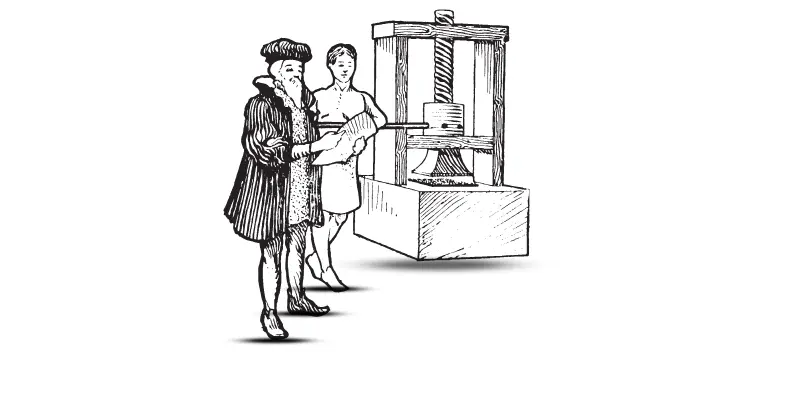
The journey of printing technology spans centuries. In 1440, Johannes Gutenberg invented the printing press in Germany, introducing movable type that revolutionized book production. Before this, manuscripts were copied by hand, a slow and labor-intensive process.
By the 19th century, printing technology advanced further, and the 1950s saw the introduction of the first computer printers. These machines enabled users to print directly from computers, transforming the way documents were created. Today, printers are faster, more affordable, and versatile, serving both personal and professional needs.
How Printers Work
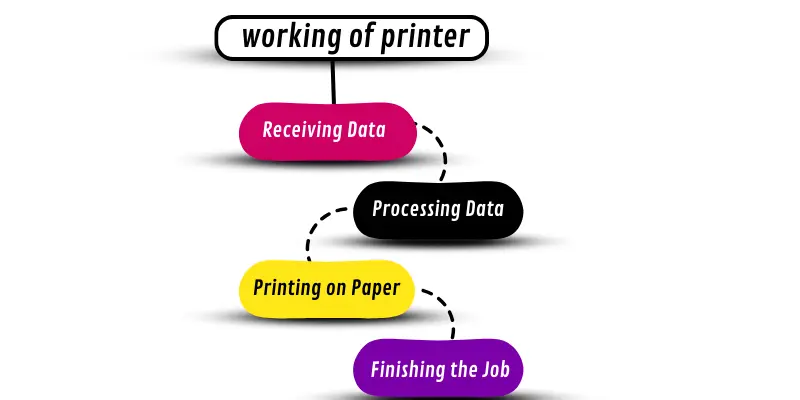
Printers convert digital data into physical copies on paper. Though technologies differ, the basic printing process involves four main steps:
Receiving Data: The printer connects to a computer, tablet, or smartphone via a cable or wireless network and receives the file to print.
Processing Data: The printer’s internal processor organizes the text and images for printing.
Printing: Inkjet printers spray tiny droplets of ink, while laser printers use toner and heat.
Finishing: The printer delivers the completed document, sometimes offering double-sided printing or multiple copies automatically.
This step-by-step process ensures your files are accurately reproduced on paper every time.
Types of Printers
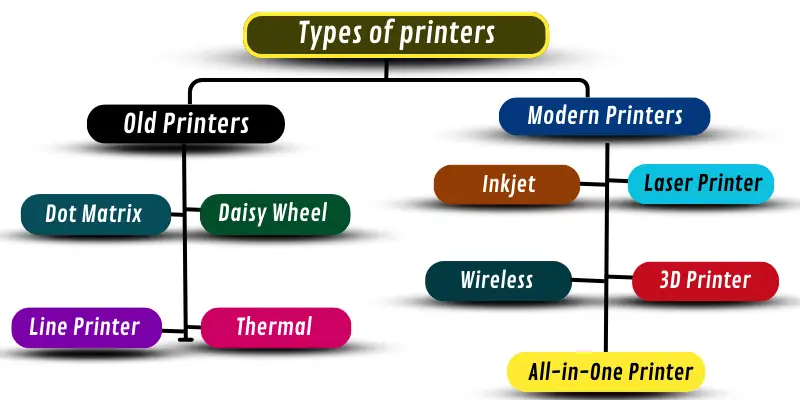
Printers are designed for different tasks, ranging from home use to industrial applications. They are broadly categorized into old and modern printers.
Old Printers
- Dot Matrix Printer: Uses pins to strike an ink ribbon onto paper.
- Daisy Wheel Printer: Prints characters via a rotating wheel.
- Line Printer: Prints entire lines of text at once.
- Thermal Printer: Uses heat-sensitive paper for printing.
Modern Printers
- Inkjet Printer: Sprays fine droplets of ink for high-quality images.
- Laser Printer: Uses toner and laser technology for fast printing.
- 3D Printer: Creates three-dimensional objects layer by layer.
- All-in-One Printer: Combines printing, scanning, copying, and faxing.
- Wireless Printer: Connects via Wi-Fi or Bluetooth for convenience.
Parts of a Printer
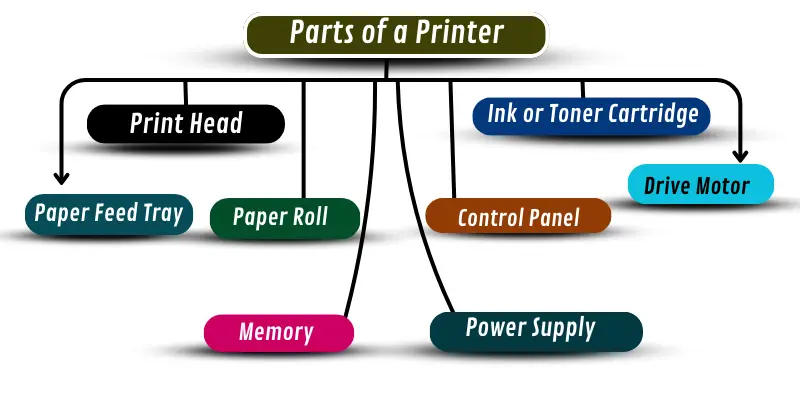
Every printer contains components that work together to produce a printout efficiently:
- Print Head: Distributes ink or toner onto paper.
- Ink/Toner Cartridge: Stores the printing medium.
- Paper Feed Tray: Holds the paper before printing.
- Paper Path: Guides the paper through the printer.
- Control Panel: Lets users choose options and start printing.
- Power Supply: Provides energy to operate the printer.
- Memory: Stores data temporarily for processing.
- Drive Motor: Moves the paper and print head accurately.
Each part plays a critical role in ensuring smooth and reliable printing.
Printer Interfaces
The printer interface allows devices to communicate with the printer. Different types of interfaces provide flexibility and convenience:
- USB Interface: Direct connection to a computer.
- Wi-Fi Interface: Wireless printing from multiple devices.
- Bluetooth Interface: Connects smartphones and tablets without wires.
- Ethernet Interface: Network connection for office printers.
- Parallel Port Interface: An older method for connecting to computers.
Uses of Printers in Various Fields
Printers are indispensable across numerous industries, enabling efficiency and productivity.
In Education
Printing study materials, exam papers, and reports.
In Business
Producing invoices, receipts, and marketing materials.
In Healthcare
Printing patient records, prescriptions, and medical charts.
In Manufacturing
Creating product labels, packaging designs, and manuals.
In Graphic Design
Printing posters, banners, artwork, and business cards.
Printers simplify tasks, save time, and ensure professional results in every sector.
Advantages and Disadvantages of Printers
Benefits
- Quick and easy printing of documents and photos.
- Efficient creation of reports and school projects.
- Businesses can generate invoices, receipts, and promotional materials.
- Color printing allows vibrant marketing materials.
- High-volume printing saves time.
Drawbacks
- High initial cost and maintenance.
- Frequent replacement of ink or toner can be expensive.
- Paper jams or low ink can interrupt printing.
- Printers occupy space and require device connectivity.
Frequently Asked Questions:
What does “mastering printers” mean?
Mastering printers means understanding how printers work, choosing the right type, and using them efficiently to achieve high-quality results quickly.
What types of printers are best for home or office use?
For home use, inkjet and wireless printers are ideal for photos and documents. For offices, laser and all-in-one printers are best for speed, volume, and multi-function tasks.
How can I improve printer productivity?
Use high-capacity ink or toner, choose faster printing modes for large documents, maintain the printer regularly, and connect it via a reliable interface like Wi-Fi or Ethernet.
What are common issues with printers, and how can I avoid them?
Paper jams, low ink, and connectivity problems are common. Prevent these by using quality paper, replacing cartridges on time, and keeping drivers updated.
How does a 3D printer differ from a standard printer?
Unlike regular printers that print on paper, 3D printers create physical objects layer by layer using materials like plastic, resin, or metal.
Are wireless printers secure to use?
Yes, wireless printers are safe when protected by strong passwords, secure Wi-Fi networks, and updated firmware.
Can printers save time for businesses?
Absolutely. Printers streamline document production, print marketing materials quickly, and support efficient workflows, boosting productivity.
Conclusion
Printers have transformed the way we work, learn, and create. From simple home documents to complex 3D prototypes, they make everyday tasks faster, easier, and more efficient. Understanding the types of printers, their components, and how they operate allows users to choose the right device and maximize productivity. By mastering printers, you not only unlock effortless printing but also enhance creativity, save time, and improve workflow in any setting—whether at home, school, or in the workplace. Investing in the right printer and learning how to use it effectively ensures professional-quality results every time.