
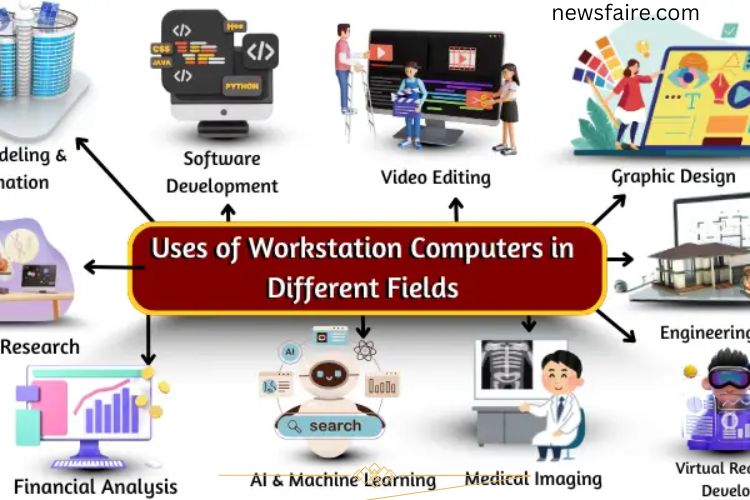
Are you frustrated by slow computers when handling complex files or programs? For professionals who rely on speed and efficiency, workstation computers are a game-changer. Built for performance, they handle large datasets, high-resolution graphics, and resource-intensive software without delays. Workstations empower designers, engineers, scientists, and developers to work smarter, faster, and more efficiently.
Workstation computers are essential tools across multiple industries, enhancing productivity and precision. From creative studios to scientific labs, their applications are vast and indispensable.
Read More: Unlocking the Power of Secondary Storage Devices: Your Ultimate Guide to Safeguarding and Expanding
Different Uses of Workstation Computers
Workstation computers are designed for tasks requiring high processing power, large memory, and advanced graphics capabilities. Unlike regular PCs, workstations manage demanding workloads efficiently, making them indispensable in professional environments. They excel in handling large files, complex calculations, and advanced software applications, offering speed, stability, and precision.
Graphic Design
Graphic designers rely on workstations to create high-quality images and designs. With powerful CPUs, GPUs, and large memory, these computers support smooth workflows and fast rendering.
Applications in Graphic Design:
- Creating logos, posters, and digital paintings
- Editing high-resolution images
- Designing websites, apps, and brand identities
- Developing 3D models and visual effects
- Enhancing colors and image details
- Designing marketing materials like ads, banners, and magazine covers
Workstations accelerate creative processes, allowing designers to produce complex visuals without delays.
Video Editing
Video editors need powerful machines to handle high-definition footage. Workstations process large video files efficiently and speed up rendering, making professional editing smoother.
Applications in Video Editing:
- Editing 4K and HD videos seamlessly
- Managing multiple video and audio tracks
- Applying visual effects and transitions
- Accelerating color correction and grading
- Supporting advanced editing software for faster workflow
- Rendering 3D and special effects quickly
By minimizing lag and processing bottlenecks, workstations enable editors to meet tight deadlines with high-quality output.
3D Modeling & Animation
For 3D artists, animators, and game developers, workstation computers are crucial. They support detailed modeling, realistic rendering, and smooth animation production.
Applications in 3D Modeling & Animation:
- Designing realistic characters and objects for films and games
- Creating 3D environments and simulations
- Adding textures, lighting, and effects
- Improving animation movement and realism
- Supporting virtual reality (VR) projects
These computers ensure complex projects are executed with speed and precision, reducing production time.
Scientific Research
Workstations enhance scientific research by processing massive datasets, running simulations, and performing complex calculations. Researchers and scientists depend on their speed and reliability.
Applications in Scientific Research:
- Analyzing large-scale data and experiments
- Simulating natural phenomena and space models
- Developing new medicines and treatments
- Modeling chemical reactions and materials
- Studying weather patterns and environmental changes
By accelerating data processing, workstations allow researchers to achieve more accurate results faster.
Engineering & CAD
Engineers and architects use workstation computers to create precise designs, 3D models, and technical drawings. They enable accurate simulations and structural analyses for complex projects.
Applications in Engineering & CAD:
- Designing buildings, bridges, and industrial machinery
- Developing 3D product models and prototypes
- Simulating moving parts and mechanical systems
- Calculating structural integrity and safety
- Planning architectural layouts and urban designs
Workstations provide the processing power required for detailed and high-precision engineering tasks.
Software Development
Software developers benefit from workstations for coding, testing, and compiling complex applications. These machines handle multiple tasks simultaneously, improving efficiency.
Applications in Software Development:
- Writing and testing code efficiently
- Building websites, mobile apps, and games
- Running simulations and debugging software
- Developing high-performance software tools
- Collaborating on large projects seamlessly
Workstations reduce compilation time and allow developers to manage multiple development environments without slowing down.
Virtual Reality (VR) Development
Creating immersive VR experiences demands advanced computing power. Workstations help developers design realistic VR worlds, enabling smooth interactions and high-quality graphics.
Applications in VR Development:
- Building detailed 3D environments for VR
- Developing VR games and simulations
- Adding realistic textures, lighting, and effects
- Testing VR interactions and performance
- Creating virtual tours and training programs
Workstations ensure VR projects run efficiently, providing immersive experiences without lag.
Medical Imaging
Medical professionals rely on workstations to process and analyze high-resolution imaging data. These computers support faster diagnoses and improved treatment planning.
Applications in Medical Imaging:
- Viewing X-rays, MRIs, and CT scans
- Analyzing ultrasound and 3D organ images
- Detecting tumors, fractures, and other abnormalities
- Assisting in surgical planning with detailed visuals
- Enhancing image quality and detail for accurate diagnosis
By delivering quick and precise imaging results, workstations improve healthcare efficiency and patient outcomes.
Financial Analysis
In finance, workstations process large datasets and complex calculations quickly. Analysts and advisors use them to make informed decisions and accurate predictions.
Applications in Financial Analysis:
Tracking stock market trends and portfolio performance
- Analyzing profits, losses, and risk
- Preparing financial reports and forecasts
- Monitoring budgets and expenditures
- Modeling global economic trends and predictions
Workstations help professionals handle data-intensive financial tasks efficiently, ensuring accurate results.
Artificial Intelligence (AI) & Machine Learning
Workstations accelerate AI and machine learning projects by handling massive datasets and complex computations. They support training models, simulations, and predictive analytics.
Applications in AI & Machine Learning:
- Training machines to recognize images and patterns
- Developing speech recognition and natural language processing
- Improving autonomous vehicle algorithms
- Enhancing robotics and smart devices
- Building AI-driven software and virtual assistants
- Supporting predictive modeling for healthcare, finance, and industry
- High-performance workstations reduce processing time and improve the accuracy of AI models.
Frequently Asked Questions:
What is a workstation computer?
A workstation computer is a high-performance PC designed for professional tasks that require exceptional processing power, memory, and graphics capabilities, such as 3D modeling, video editing, scientific simulations, and AI development.
How is a workstation different from a regular computer?
Unlike standard PCs, workstations have more powerful CPUs, professional-grade GPUs, larger RAM, and enhanced storage solutions. They are optimized for reliability, speed, and handling complex, resource-intensive tasks.
Who should use a workstation computer?
Workstations are ideal for professionals like graphic designers, video editors, engineers, scientists, software developers, financial analysts, and AI researchers who need high performance and efficiency for demanding workflows.
Can workstations improve productivity?
Yes. By enabling faster rendering, smoother multitasking, and quicker data processing, workstations reduce delays and enhance overall productivity, allowing professionals to complete projects efficiently.
Are workstation computers suitable for gaming?
While workstations can run games due to their powerful hardware, they are optimized for professional applications rather than gaming. Gamers may benefit from some features, but a gaming PC is better suited for long-term gaming.
How long do workstation computers typically last?
With proper maintenance, workstations can last 5–7 years or more. They are built with durable components to handle continuous heavy workloads without performance degradation.
Can a workstation handle AI and machine learning tasks?
Absolutely. Workstations are ideal for AI and machine learning, as they can process large datasets quickly, train models efficiently, and run simulations with high accuracy.
Conclusion
Workstation computers are the ultimate tools for professionals who demand speed, power, and reliability. From graphic design and video editing to scientific research, engineering, AI, and financial analysis, workstations handle complex tasks with ease and precision. By offering faster processing, smoother multitasking, and enhanced graphics performance, these machines boost productivity, streamline workflows, and enable high-quality results. Investing in a workstation ensures that individuals and teams can tackle large files, run advanced applications, and innovate without limitations, truly unlocking the full potential of modern computing.