
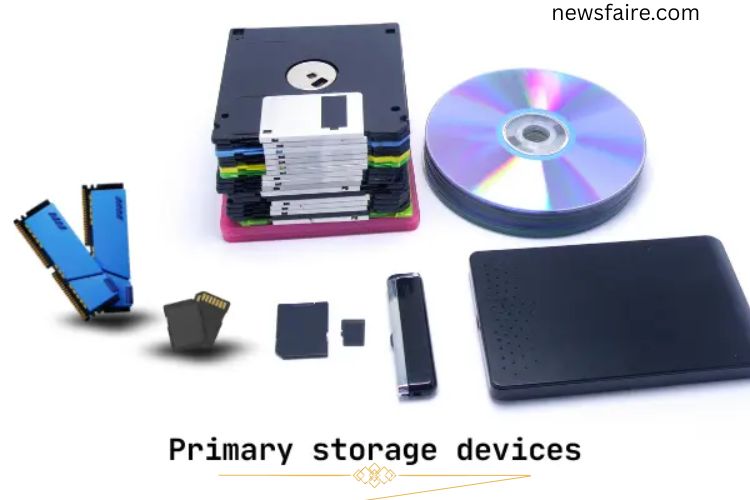
Your computer’s performance depends heavily on primary storage devices. Devices like RAM and cache memory store data temporarily, allowing your system to access it instantly. Positioned close to the CPU, these storage units ensure your computer operates smoothly and efficiently. Understanding how they work can help you maximize your system’s potential.
Read More: Unveiling the Mighty Scanner: Discover How Computers Bring Documents to Life
What Are Primary Storage Devices?
Primary storage devices are crucial components that temporarily store data for quick access. They ensure your computer operates at high speed and efficiently manages tasks. For instance, when you open a game or software, RAM loads it instantly, delivering a seamless user experience. Without these devices, your system would struggle with delays and slow processing.
How Primary Storage Devices Work
These devices provide the CPU with immediate access to the data it needs. They temporarily hold information while your computer is running, which allows fast processing of programs and applications. Once the system shuts down, temporary data is cleared, except for non-volatile storage like ROM.
Core Functions:
- Data Storage: Holds active data for running programs.
- Quick Access: Ensures fast retrieval of data.
- Temporary Memory: Clears data when powered off (RAM, cache).
- Direct CPU Communication: Works closely with the processor to accelerate tasks.
- Supports Multitasking: Enables multiple programs to run efficiently.
Types of Primary Storage Devices
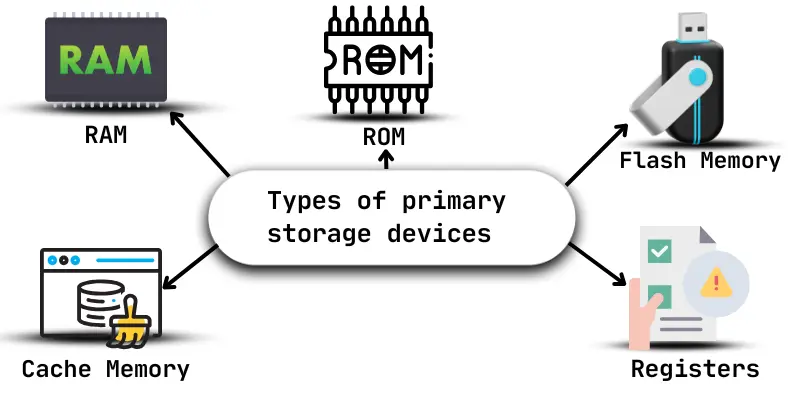
Primary storage devices come in various forms, each serving a specific purpose to optimize system performance:
- RAM (Random Access Memory): Stores data for immediate tasks.
- Cache Memory: A high-speed memory storing frequently accessed data.
- Registers: Tiny storage areas within the CPU for instructions and data.
- ROM (Read-Only Memory): Holds essential instructions for booting and system configuration.
- Flash Memory: Non-volatile storage used in USB drives and portable devices.
Each type works directly with the processor to speed up data handling and improve overall performance.
Key Characteristics of Primary Storage Devices
Primary storage devices play a vital role in your computer’s efficiency. Key features include:
- High Speed: Enables rapid data access and processing.
- Temporary or Permanent: RAM is temporary, ROM is permanent.
- Integrated Storage: Usually built into the system for optimal performance.
- Supports Software: Ensures smooth operation of programs and apps.
- Compact Size: Smaller than secondary storage, saving internal space.
- Energy Efficient: Consumes less power compared to other storage.
- Critical for Operation: Essential for booting and running your system.
- Fast Access: Faster than external drives for active data.
- Active Data Storage: Holds data currently in use by the CPU.
- Limited Capacity: Focused on immediate-use data, not long-term storage.
Advantages of Primary Storage Devices
Primary storage devices enhance your computer’s speed and efficiency. Key benefits include:
- Faster data retrieval for programs and files.
- Improved overall system performance.
- Smooth multitasking and real-time processing.
- Lower power consumption than secondary storage.
- Quick response from applications and games.
- Essential for booting and operating the system.
Limitations of Primary Storage Devices
Despite their benefits, primary storage devices have limitations:
- Limited storage capacity compared to secondary devices.
- Temporary memory (like RAM) loses data when powered off.
- Higher cost than some secondary storage options.
- Susceptible to failure or damage (e.g., SSDs, RAM).
- Sometimes difficult to upgrade or replace.
- Not suitable for long-term data storage.
Practical Uses of Primary Storage Devices
Primary storage devices support everyday computing tasks:
- Running Applications: RAM ensures smooth app performance.
- Booting the System: ROM stores essential startup instructions.
- Temporary Data Storage: RAM holds active data while working.
- Faster File Access: Cache memory speeds up frequently used data retrieval.
- System Settings Storage: ROM retains configuration settings.
- Gaming and Software: RAM allows fast game loading and program execution.
- Multitasking: RAM enables background tasks without slowing down the system.
- Real-Time Processing: Keeps tasks active until saved.
Frequently Asked Questions:
What are primary storage devices, and why are they important?
Primary storage devices, like RAM and cache memory, store data temporarily for quick CPU access. They are essential for faster processing, smooth multitasking, and efficient computer performance.
How do primary storage devices differ from secondary storage?
Primary storage is faster, temporary, and works directly with the CPU, while secondary storage (like hard drives or SSDs) stores data permanently but with slower access speeds.
What are the main types of primary storage devices?
Key types include RAM (Random Access Memory), cache memory, CPU registers, ROM (Read-Only Memory), and flash memory. Each plays a specific role in improving system speed and efficiency.
Can primary storage retain data when the computer is turned off?
Most primary storage, like RAM and cache, is volatile, meaning it loses data when the power is off. Non-volatile types like ROM and flash memory retain essential data permanently.
How does primary storage impact gaming and software performance?
Primary storage ensures quick access to active data, allowing games and software to load faster, run smoothly, and respond instantly during multitasking.
Is upgrading primary storage beneficial?
Yes. Adding more RAM or faster cache memory improves processing speed, supports multitasking, and enhances the overall responsiveness of your system.
What are the limitations of primary storage devices?
They have limited capacity compared to secondary storage, can be costly, and volatile types lose data when powered off. They are designed for speed, not long-term storage.
Conclusion
Primary storage devices play a powerful role in determining your computer’s speed, responsiveness, and overall performance. By working closely with the CPU, components like RAM, cache memory, registers, and ROM ensure that active data is available instantly when needed. This rapid access allows programs to load faster, multitasking to run smoothly, and real-time processes to function without delay. Although primary storage has limited capacity and, in many cases, temporary data retention, its importance cannot be overstated. It forms the foundation of efficient computing, enabling your system to boot properly, execute instructions accurately, and deliver a seamless user experience.